Contact & Company Management for CRM
Attriqs CRM is contact management software that gives every person and company a single rich record, with your own custom fields, an activity timeline that logs itself, and a linked-person view that follows someone across your whole business. An advanced filter builder saves as reusable Views for bulk action, automatic dedupe flags and merges duplicates with a conflict-resolution step, imports run through a dedupe preview before anything is written, and consent is tracked per person for CASL and GDPR.
A complete record that keeps its own history
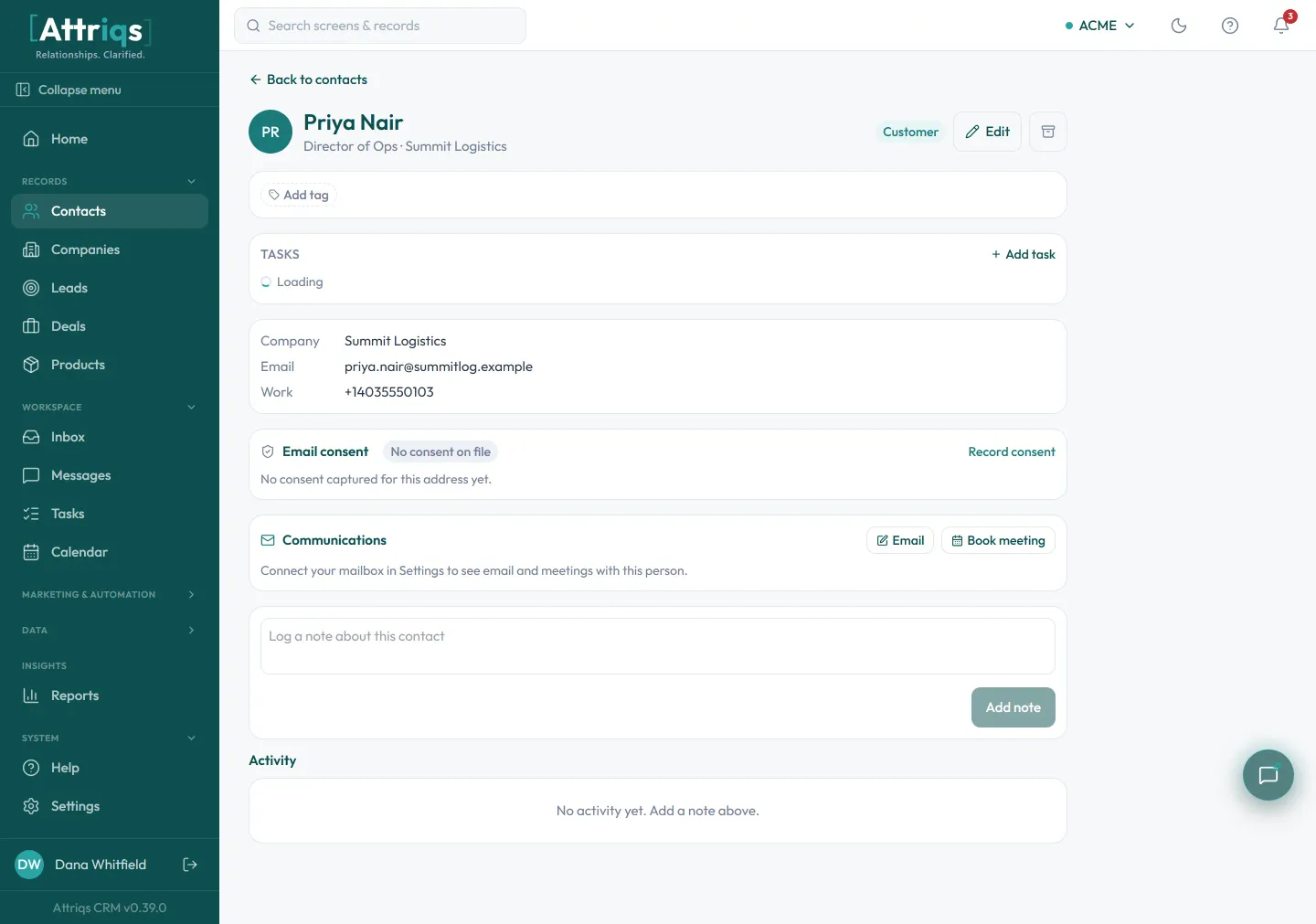
Every person sits inside the company they work for, on a rich record with your own custom fields, owner, and lifecycle stage. The activity timeline fills in on its own as you work, so the full story of a relationship stays current without anyone typing it up.
- Open a company to see its people, deals, and history; open a person to see everything at once
- Add the custom fields your team actually uses, then filter and report on them
- Emails, calls, texts, meetings, and notes attach to the right record automatically
- Rich-text notes with @mentions, plus your own custom activity types
One trusted source of truth
Bring your data across through a dedupe preview, let Attriqs CRM catch duplicates as they appear, and see each person as one identity no matter how many parts of your business they touch.
Find and act on the right people in bulk
Slice your list with an advanced filter builder, save any filter as a reusable View, and act on everyone who matches at once. Consent is tracked per person, and Attriqs CRM logs activity automatically so the list stays clean.
Want the playbook on the concept itself? Read our guide to what a CRM is.
Frequently asked questions
How does Attriqs CRM keep contacts and companies organized?
Every person sits inside the company they work for, on a rich record with your own custom fields, an owner, a lifecycle stage, and a full activity timeline. Open a company to see its people, open deals, and history; open a person to see their details and everything that has happened, all in one place.
Can I add my own custom fields?
Yes. You add the contact and company fields your team actually uses, so records carry the details that matter to your business rather than a fixed set you have to work around. Those fields are also what you filter and report on.
How do I filter and act on lots of contacts at once?
Use the advanced filter builder to chain conditions (for example, owner, stage, last activity, and a custom field), then save the result as a reusable View. From a View you act in bulk: tag, reassign owners, change stage, export, or enroll everyone who matches in a sequence.
What happens when the same person appears twice in Attriqs CRM?
Attriqs CRM flags likely duplicates automatically by email, phone, or a close name-and-company match. You review the candidates side by side and merge them, choosing which field wins in a conflict-resolution step. The merge combines history, activities, and consent onto one record, and stays reversible for 30 days.
Can I import without creating a mess of duplicates?
Yes. Imports and tool syncs run through the dedupe detector first and show a preview: which rows will create new records, which will link to existing people, and which need manual review. You can change any decision before you commit, so you start clean.
Does Attriqs CRM track consent for CASL and GDPR?
Yes. Consent status lives on each person, so your team can see who has opted in before sending email or SMS. When records merge, consent and do-not-contact entries follow the kept record, so compliance is not lost in the cleanup.
See it on your own data
Attriqs CRM is in early access. Request access or book a quick walkthrough, and MosAIc will help you get set up.